How to enable appointment confirmations and reminders
-
Complete the location profile for each clinic location you want to send emails from.
Go to:
Settings → Schedule → Locations
Click Manage Profile and enter your business contact details.
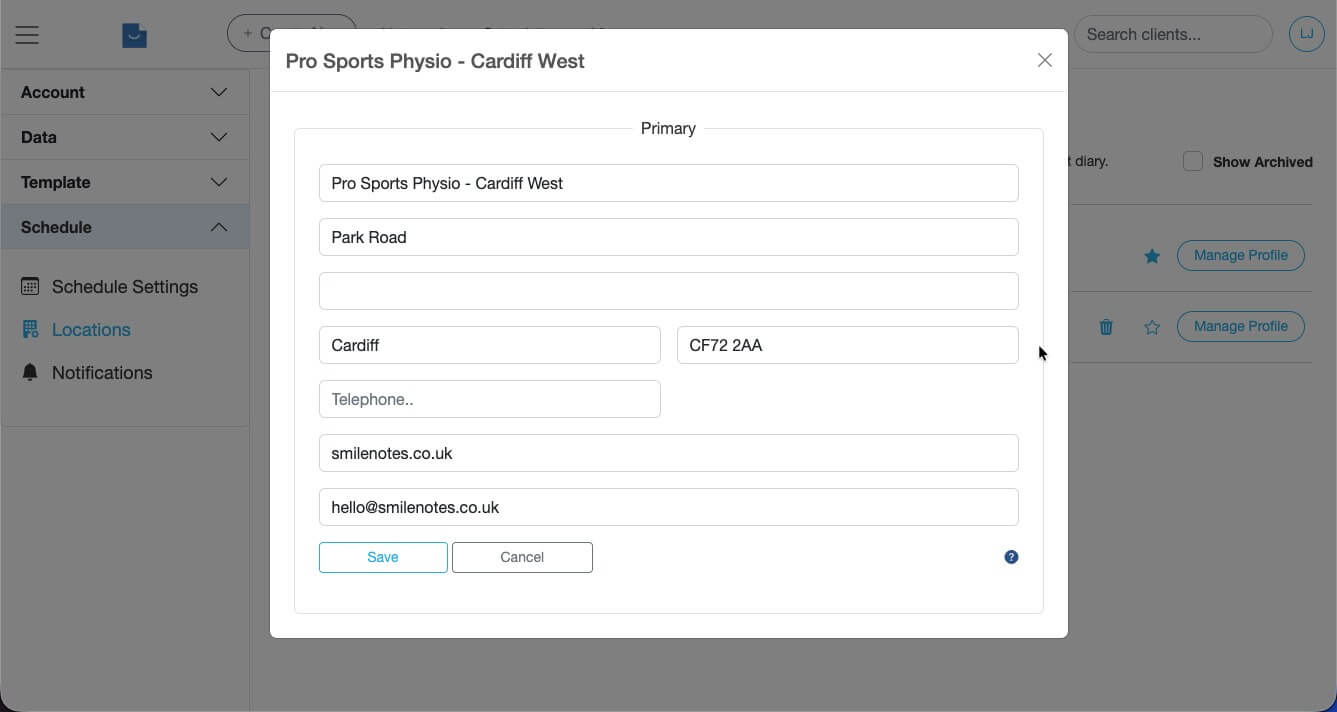
Enter practice name, address and contact details before saving. -
Enable appointment notifications and reminder emails.
Go to:
Settings → Schedule → Notifications
Slide each switch to the right to enable email notifications and reminders.
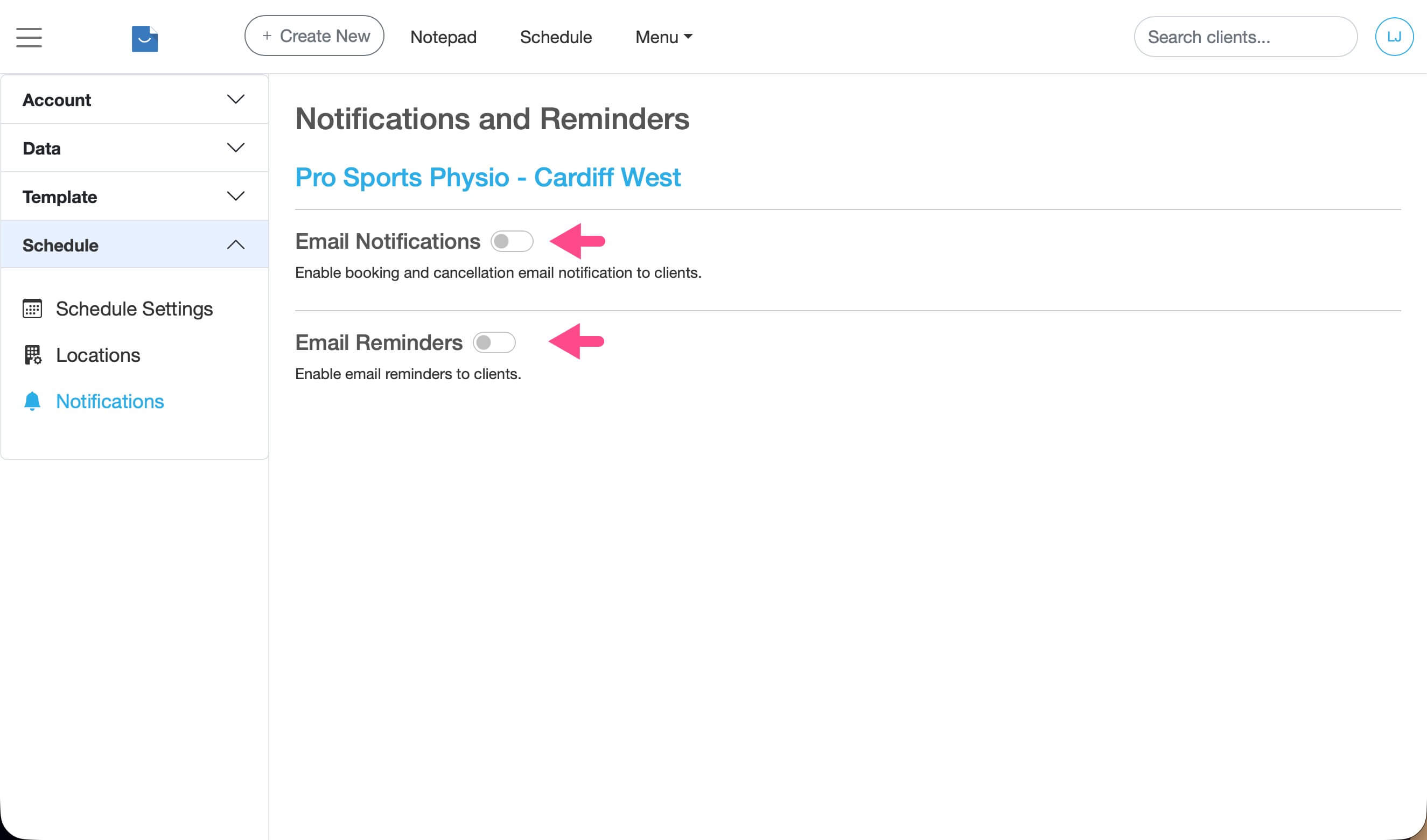
Enable email notifications and reminders so Smilenotes can send appointment confirmations and reminder emails to clients. -
Add an email address to the client profile.
Each client must have a valid email address saved in their profile. If the email address is missing, reminder emails cannot be sent.
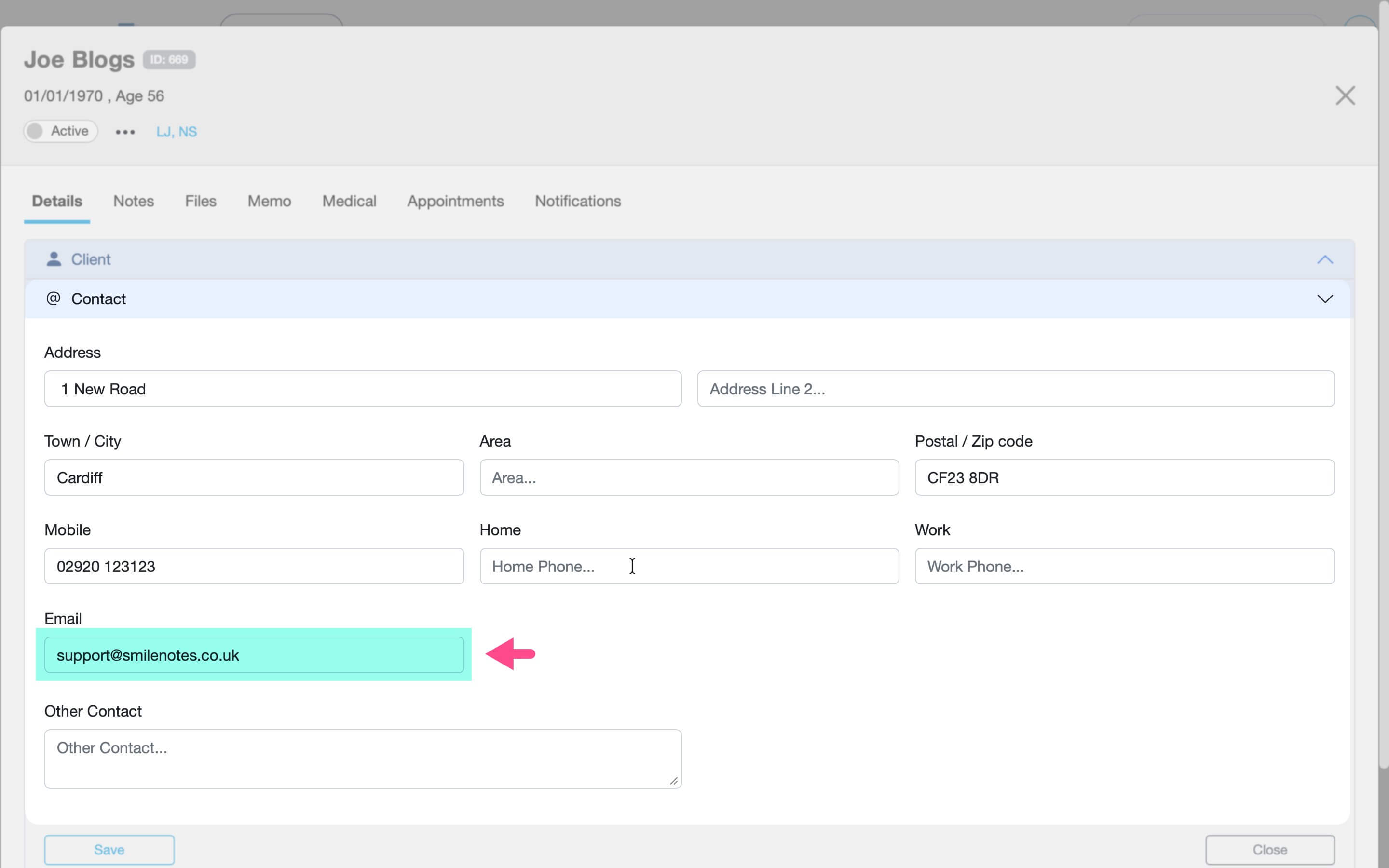
Each client must have a valid email address saved in their profile. -
Enable client consent for reminder and notification emails.
In the client profile, tick:
Consent to email reminders & confirmations
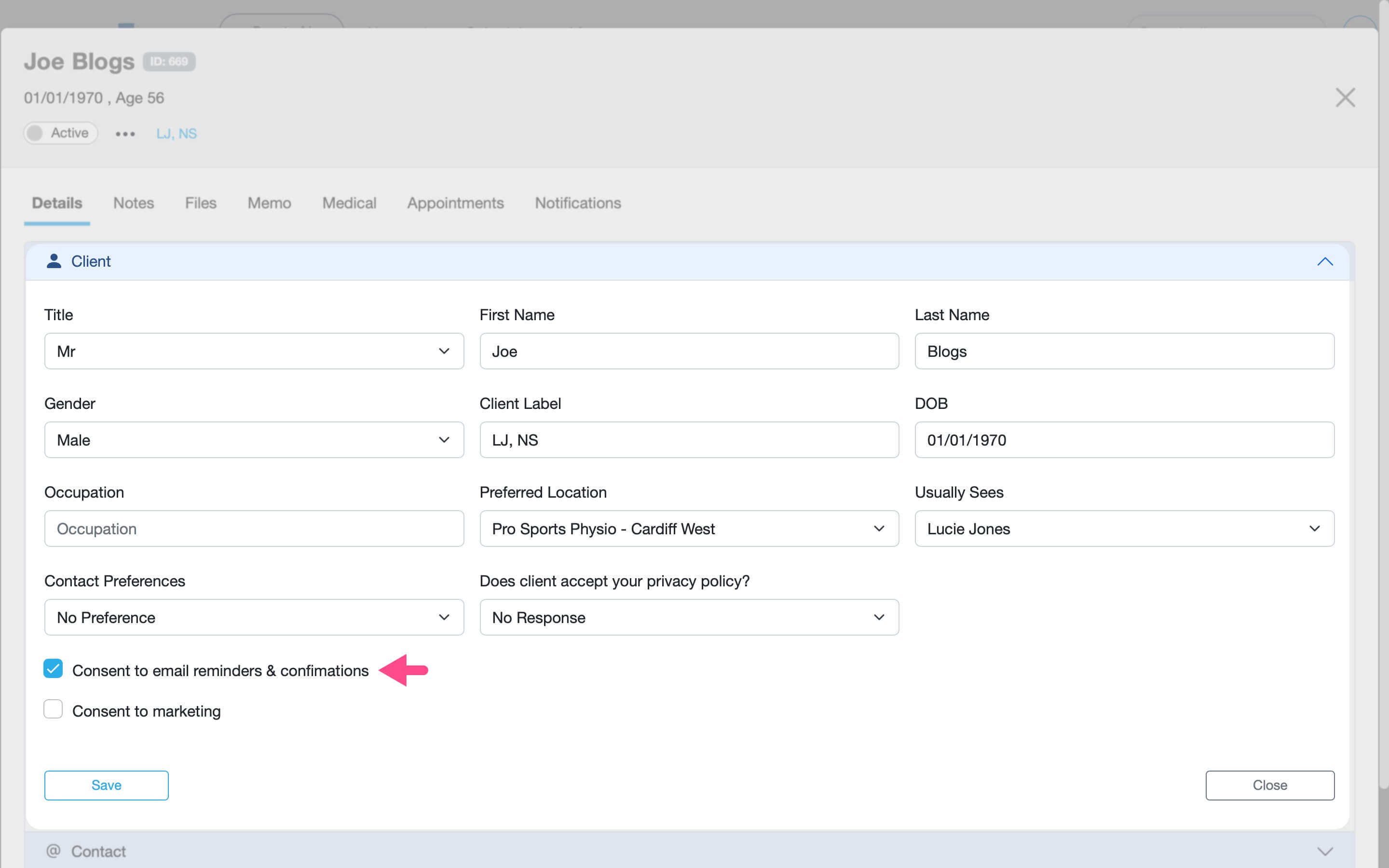
Enable consent to allow Smilenotes to send appointment confirmations and reminder emails to the client.
Verify emails will send
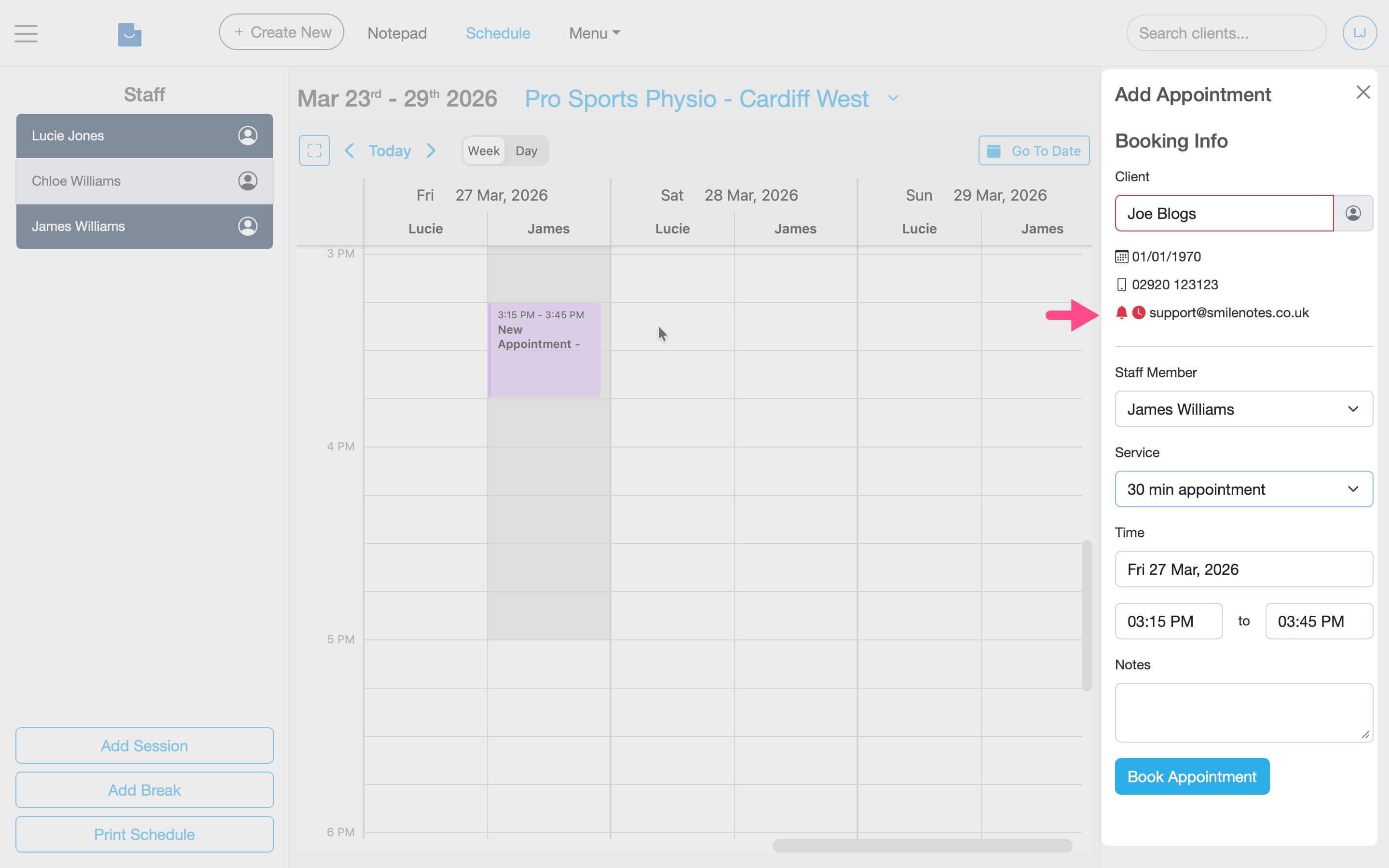
When you book an appointment you can easily check notifications and reminders are set up correctly by observing the status icons in the booking panel.
Red icons mean there's a problem. Green icons mean everything is correctly set up.
If you hover over each icon, Smilenotes will explain what the problem is and how to fix it.
What clients receive
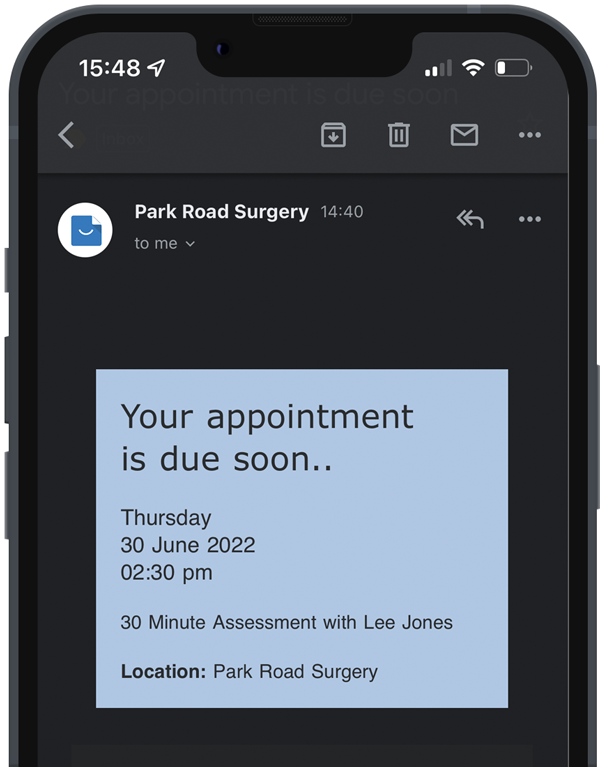
Once reminders are enabled, Smilenotes automatically sends two types of emails to clients:
- Appointment confirmation — sent approximately 5 minutes after booking the appointment.
- Appointment reminder — sent automatically before the appointment according to your reminder settings.
Appointment reminder FAQ
- Reminder notifications are enabled
- The client has an email address
- Email consent is enabled in the client profile
- Your location profile is completed
Reminder emails are sent automatically before the appointment according to your notification settings.
Yes. Simply untick the Consent to email reminders & confirmations checkbox in the client profile.
How to customise appointment notification and reminder emails
Yes. Clients must give consent before reminder emails can be sent. In the client profile, tick Consent to email reminders & confirmations.
Yes. Sending automatic appointment reminders helps reduce missed appointments by reminding clients when their appointment is scheduled.
If no email address is saved in the client profile, Smilenotes cannot send appointment confirmation or reminder emails.
Related articles
Next steps if you’re setting up your appointment calendar:
Updated: 12 March 2026
Need More Help?
Connect with our team