Watch video: how to add a treatment (29s)
Prefer written steps? Scroll down for step-by-step instructions.
Create a new treatment
Once set up, you can quickly book appointments and select the appropriate service or treatment type directly from your personalized list in the booking panel.
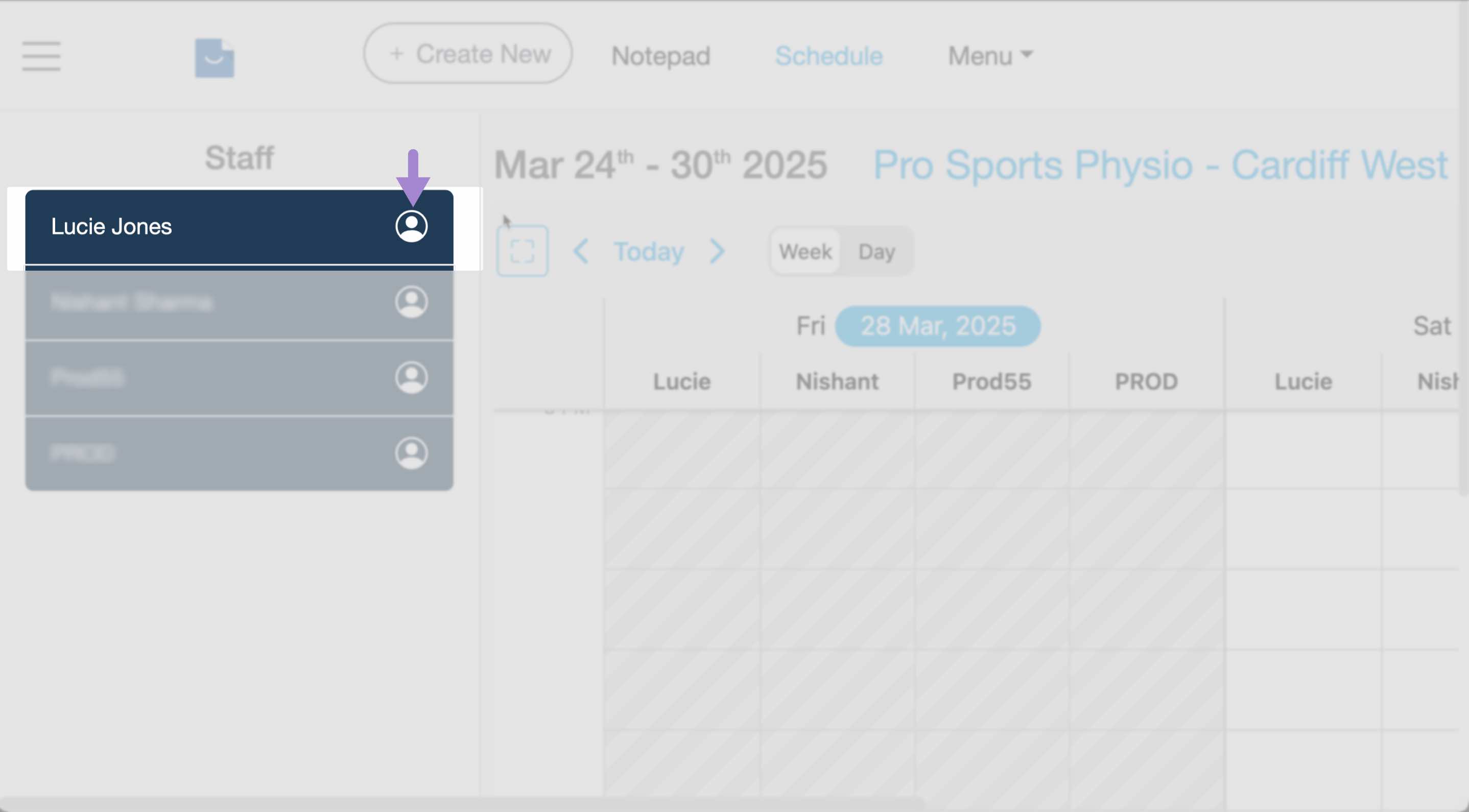
- Head over to the Schedule page and click on the person icon next to the team member to edit the profile.
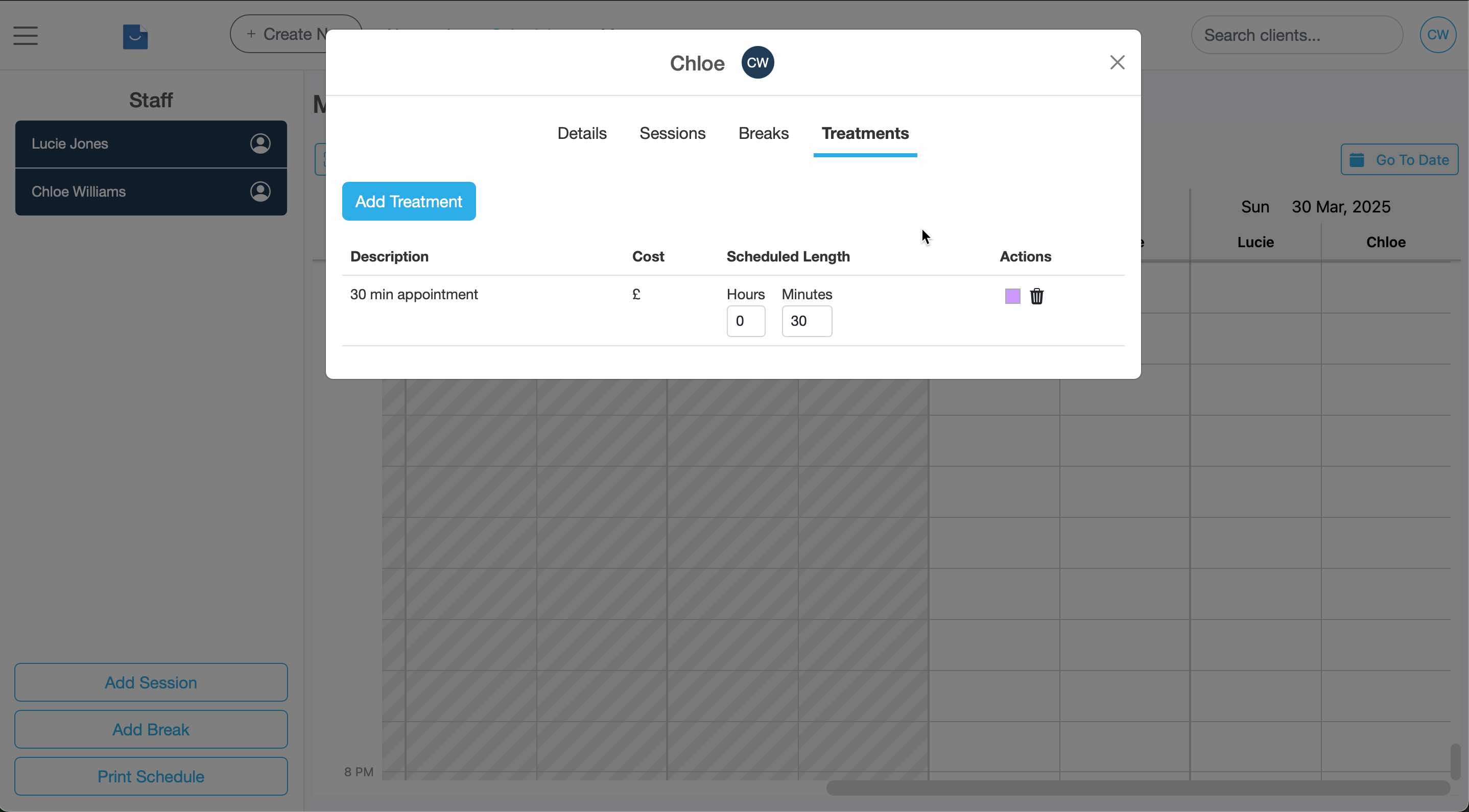
- Select "Treatments"
- Click "Add treatment" to create a new treatment.
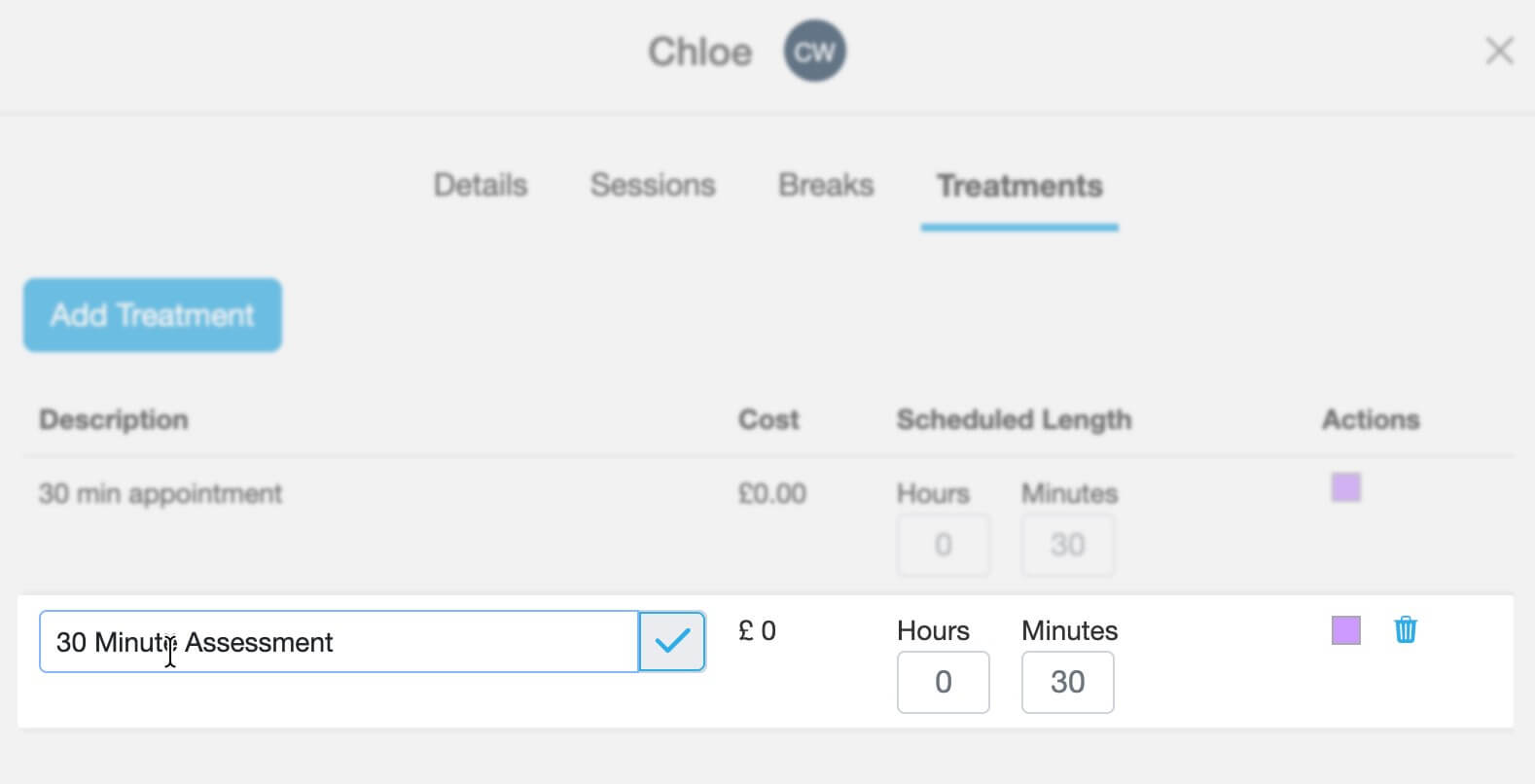
- Click on the description to rename it, then the tick to save. Enter the treatment time (scheduled length) and click on the colour square to change the colour.
Edit or delete a treatment
Open the Treatments tab in the team member profile. Click the treatment name to edit it, or remove it if no longer needed.
Share treatments with other team members
Account owners or admin users can set up a list of treatments and share them with other team members. Read this tutorial to learn how:
Share treatments with team membersUpdated: 11 February 2026