How to share a treatment
Treatments are managed from each team member’s profile. From here, you can share individual treatments with other team members on the account.
-
In the appointment calendar, click the person icon next to a team member to open their profile.
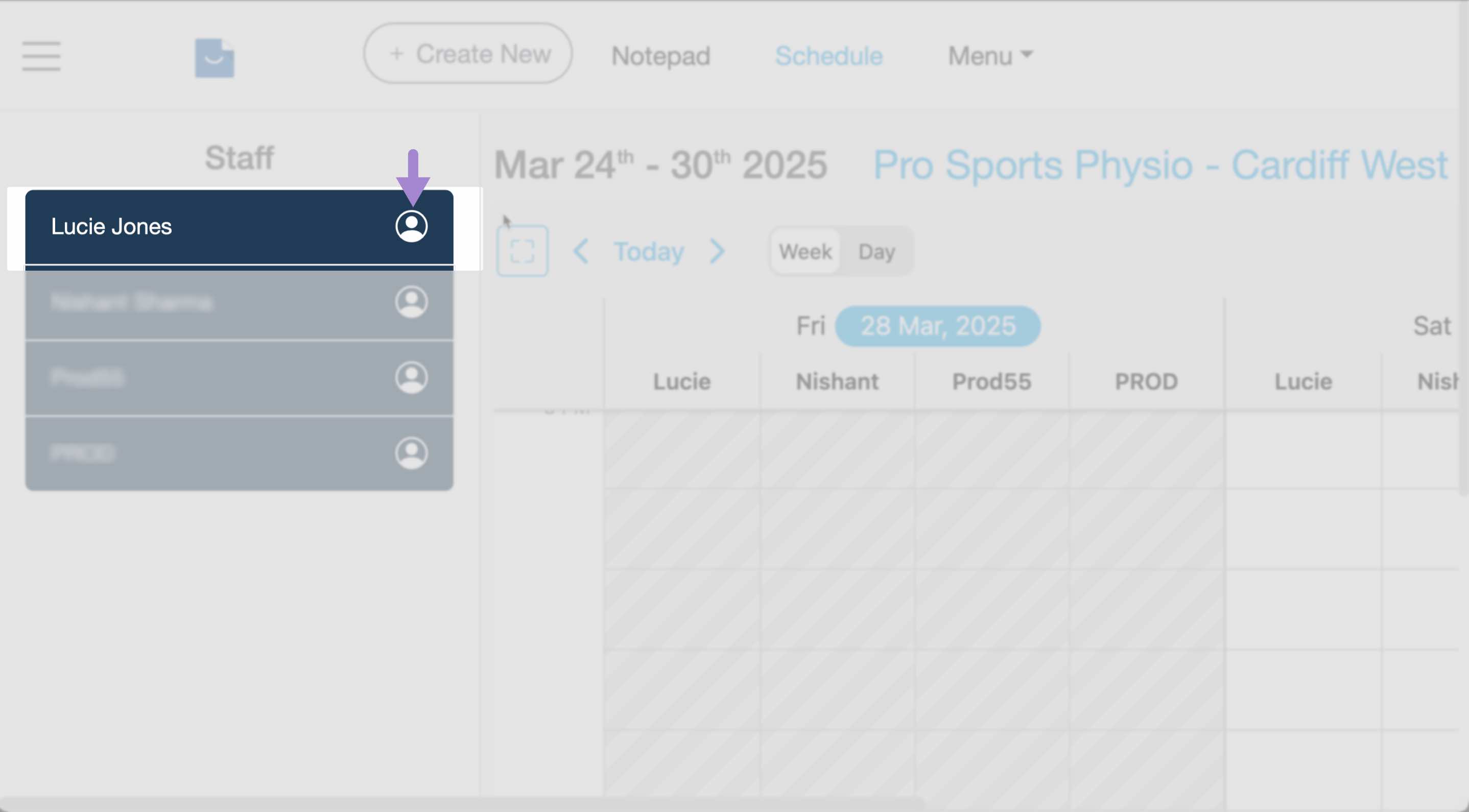
Click the person icon next to a team member to open their profile. -
Select the Treatments tab.
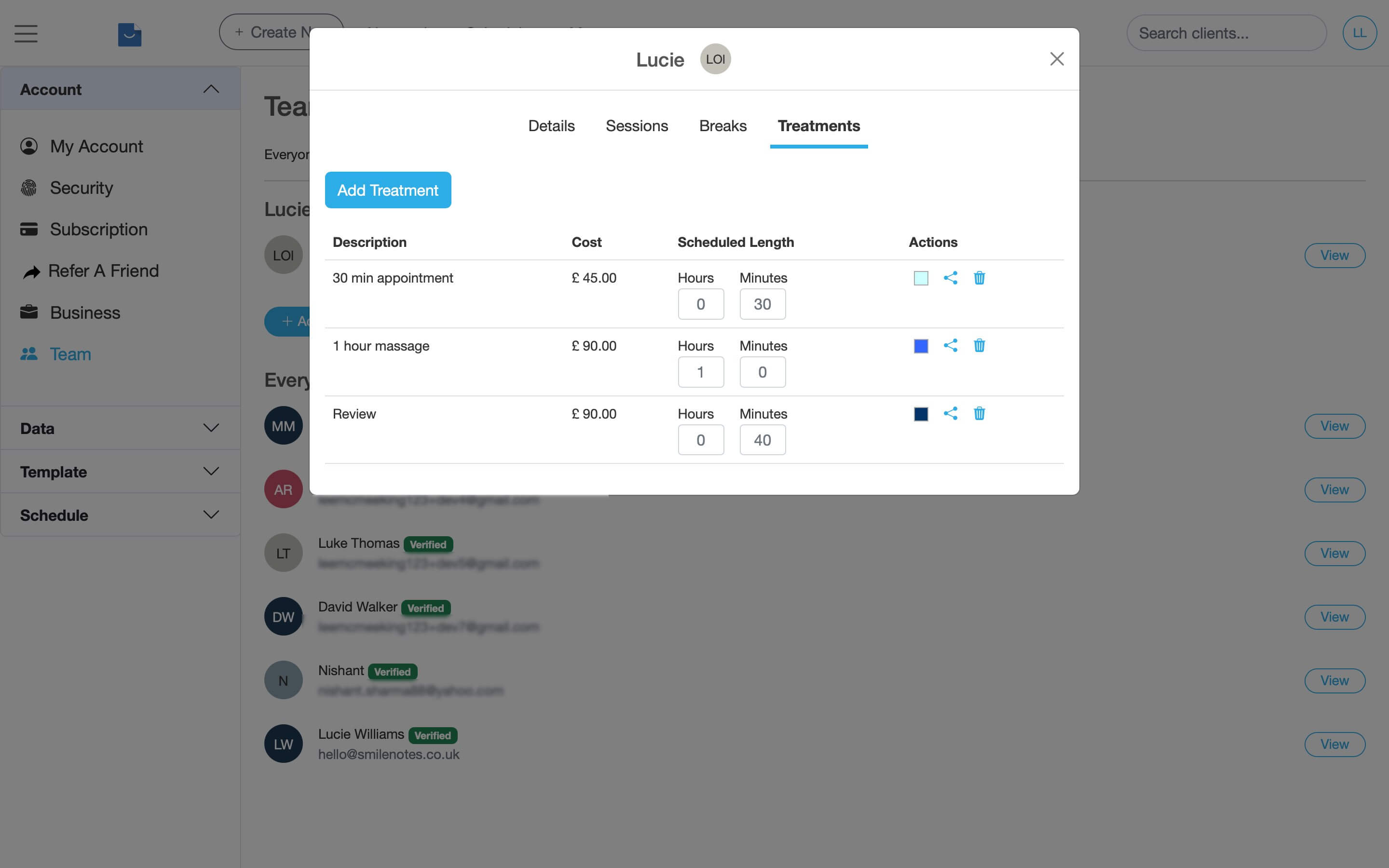
The Treatments tab shows all treatments available for that team member. -
In the Actions column, click the share icon (hover text: Share this treatment with team members).
Select the team members you’d like to share the treatment with, then click Save Changes.
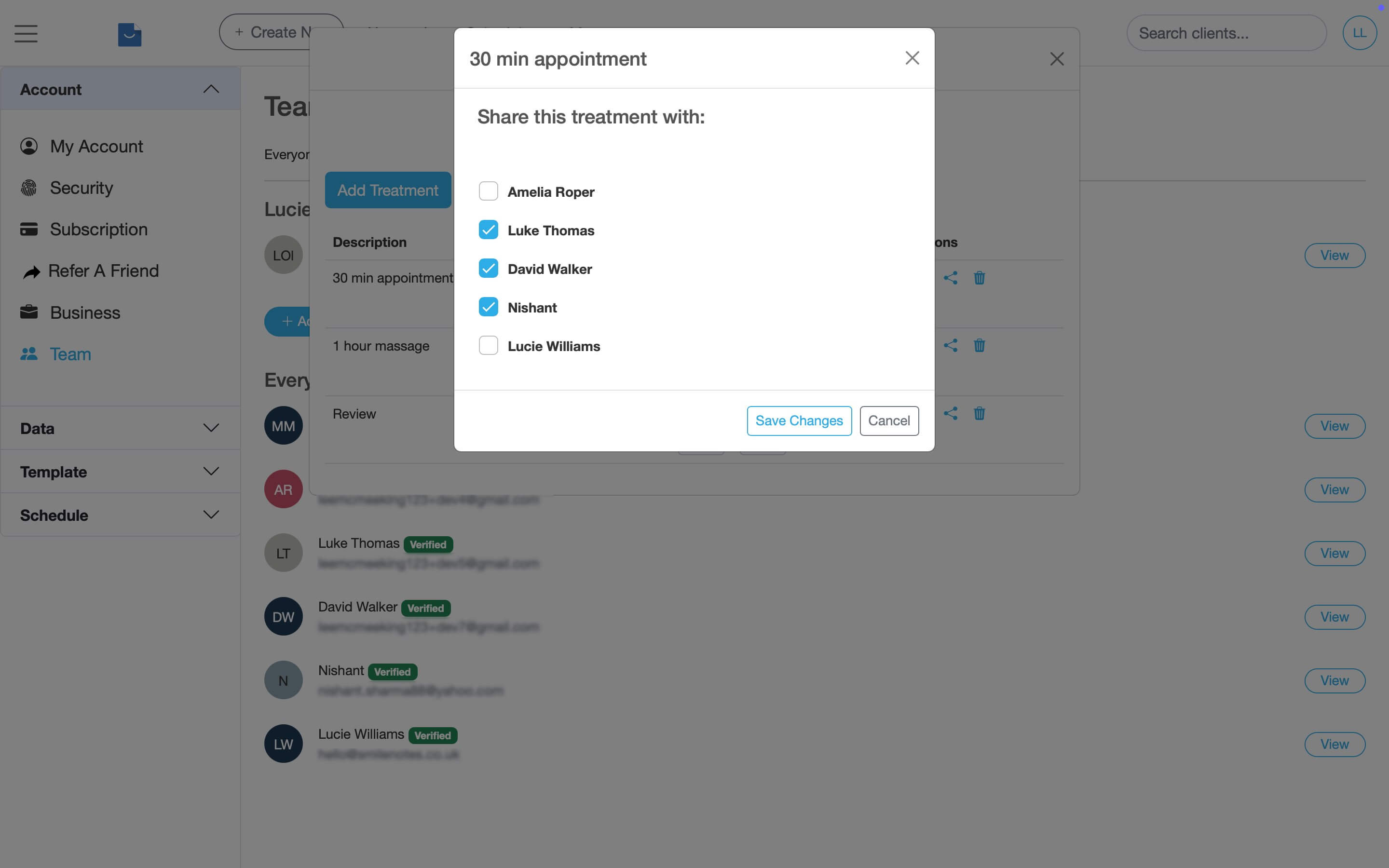
Click the share icon to make this treatment available to other team members.
What happens next?
Once shared, the treatment will appear in the booking panel when that team member creates a new appointment in the calendar.
Updated: 11 February 2026